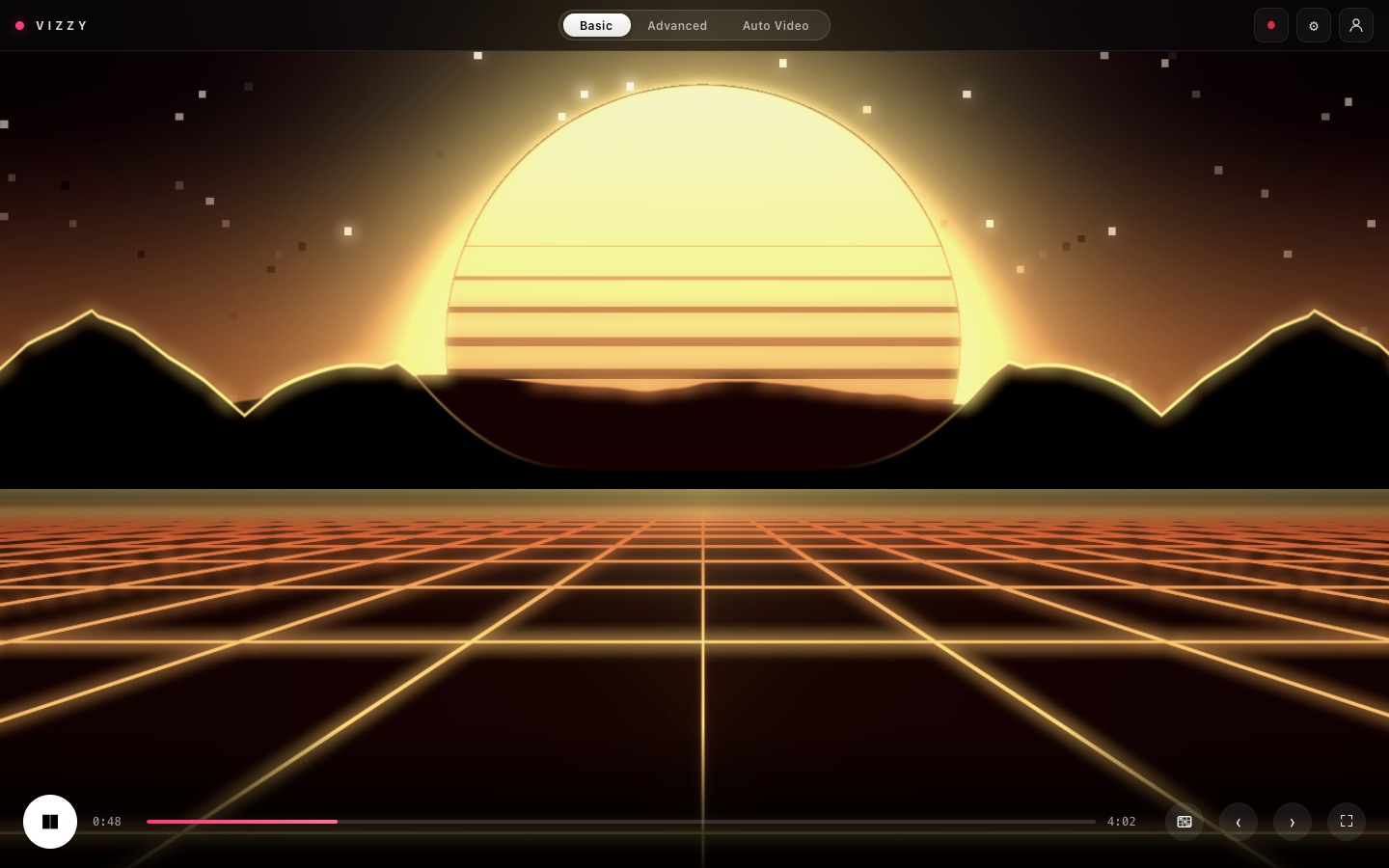
Welcome to VIZZY
VIZZY turns music into visuals. Use it live for shows and streams, or have it render finished music videos. Open it at vizzy.soundware.io.
Switch modes with the pill at the top of the screen:
| Mode | What it's for |
|---|---|
| Basic | Play a song and watch visuals react to it. Change the look, add lyrics and your brand, and record the result. |
| Basic → Live tab | Perform: DJ mixer or computer audio, the DAW plugin, show cues, a different look per track, MIDI and OSC, and video out to OBS or Resolume. |
| Advanced | A full timeline video editor for cutting by hand. |
| Auto Video | Upload a song, press one button, get finished music videos. |
VIZZY runs in Chrome, Edge or Safari, as a desktop app for Mac and Windows, as a DAW plugin (VST3, AU or CLAP), on phones, and as a Blender add-on.
| Key | Does |
|---|---|
| S | Show or hide the controls |
| → ← | Shuffle to a new look / undo |
| F | Fullscreen |
| B | Brand on or off |
Getting access
VIZZY is in private beta. Request access, get approved, then sign in with Google or with an email and password.
- Go to vizzy.soundware.io/beta and fill in Request access: your name, what you do (DJ, producer, VJ…) and what you want to make.
- When you're approved, you get an email with a link to set your password. The link works for 24 hours.
- Choose a password of at least 10 characters. You're in.
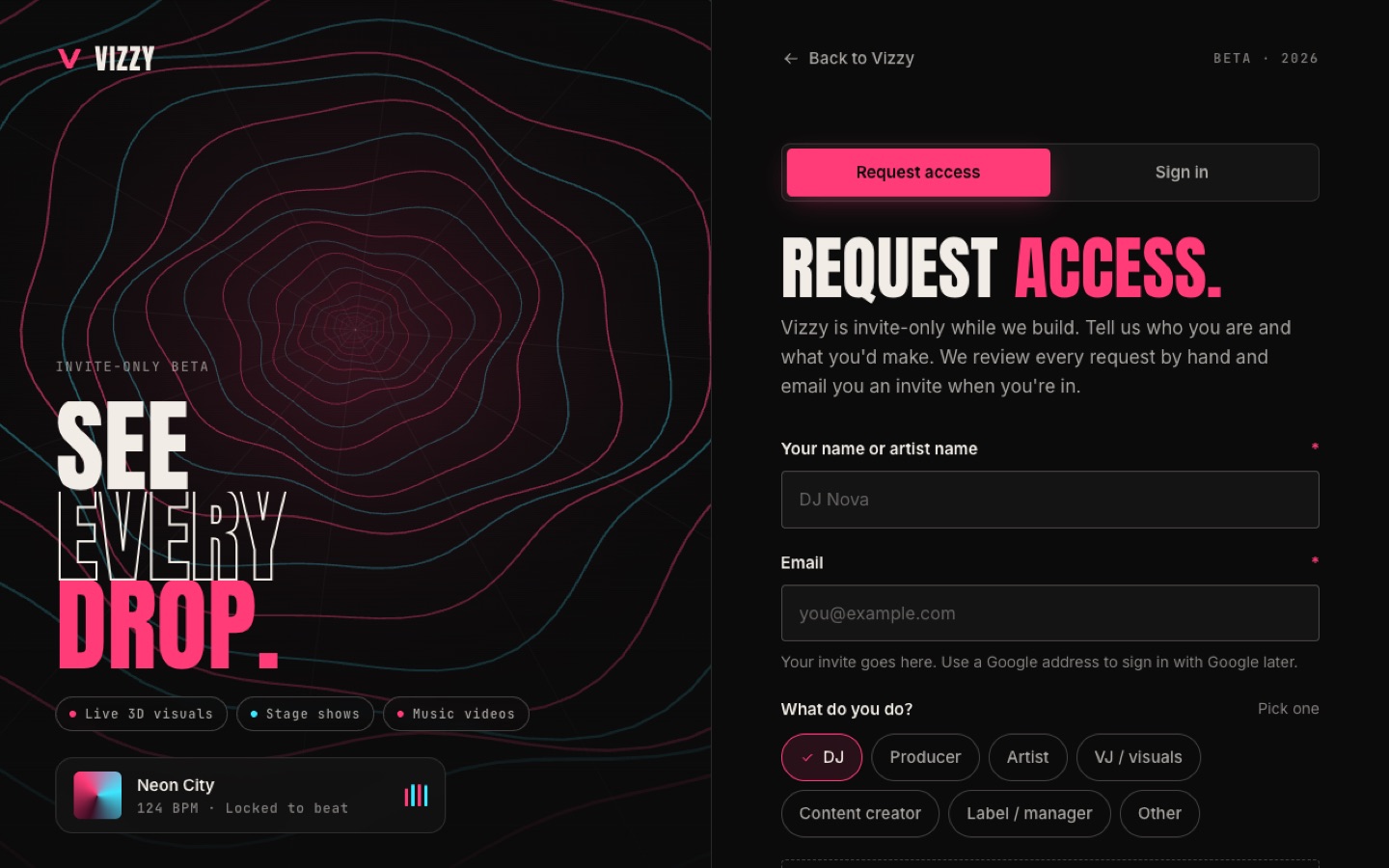
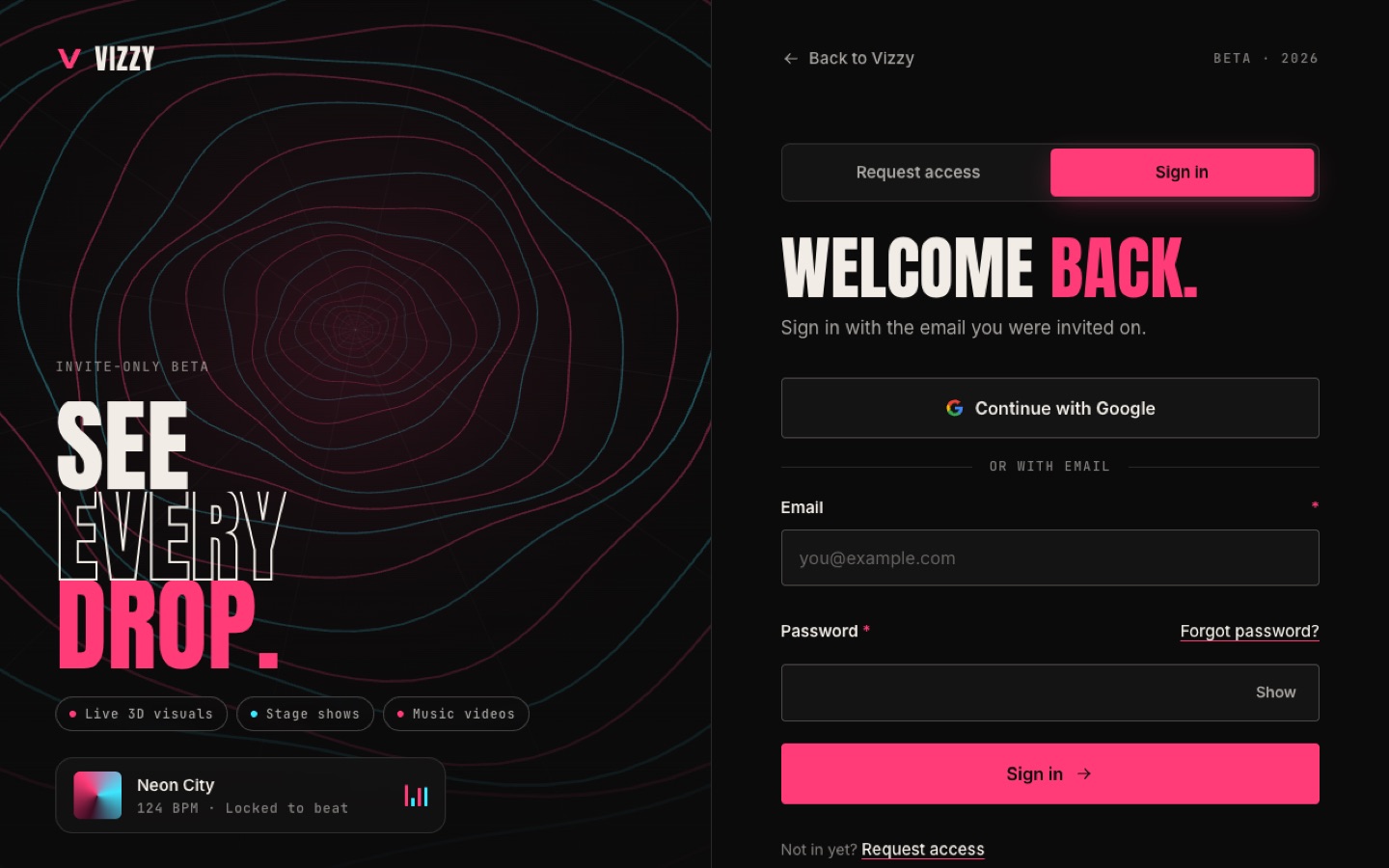
After that, sign in at vizzy.soundware.io/signin. Forgot password? emails you a reset link. If Google says your account "hasn't been invited", pick the Google account whose email you signed up with.
Basic mode
Load a song, press Play, and VIZZY reacts to the beat right away. Everything else is styling.
- Add music: drop a song on the screen, tap to choose a file, or Paste a Link.
- Press Play.
- Press → until you like the look. ← goes back.
- Press S (or ⚙) to open the controls and fine-tune it.
- Tap the red ● button to record a video with the song, or press F for fullscreen.
What you can change
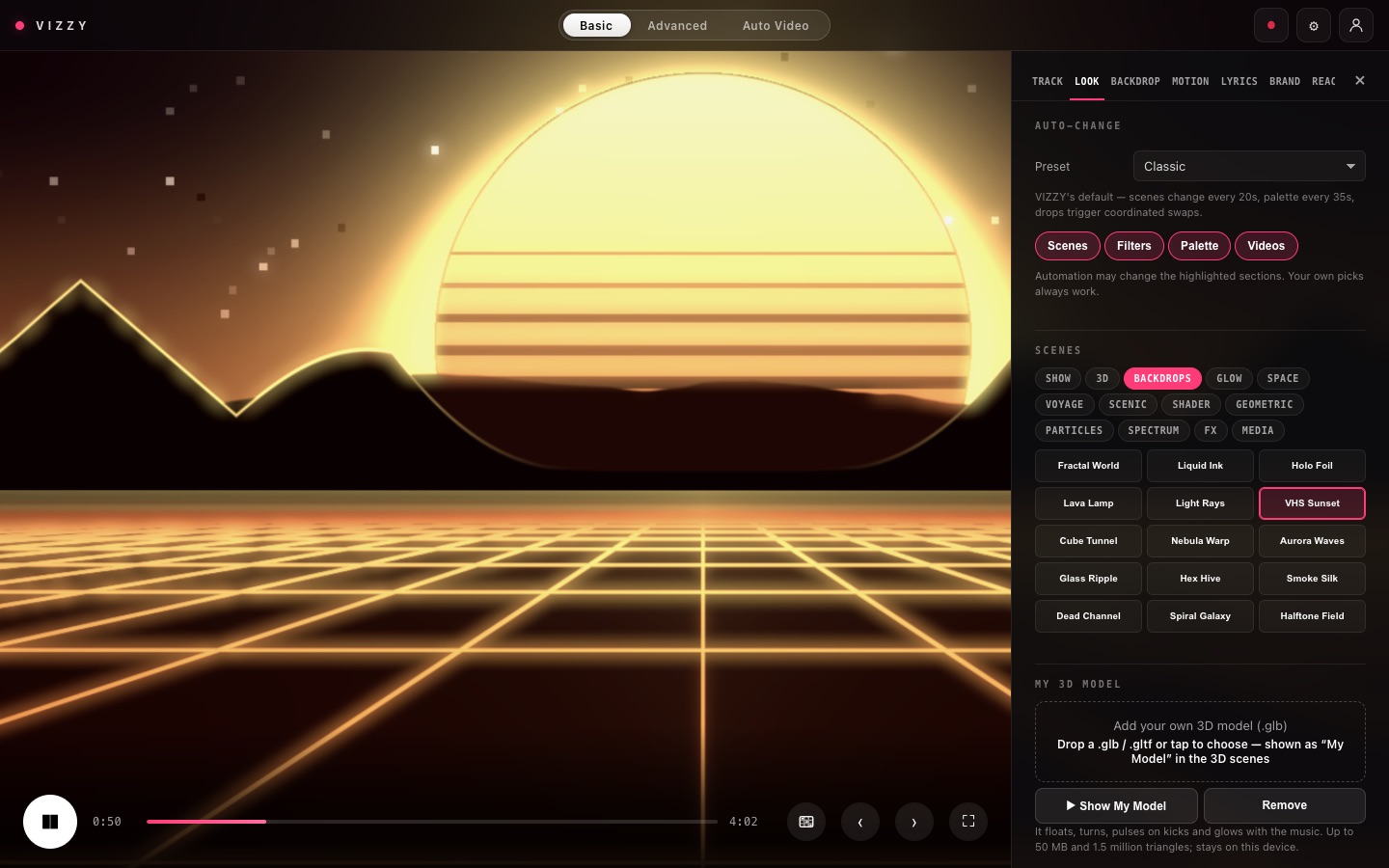
| Tab | What's in it |
|---|---|
| Track | Your song, album art, stems and frequency bands, and Export for Blender |
| Look | Scenes (3D, backdrops, shows), auto-change, palette, filters and your own 3D model (.glb) |
| Backdrop | Over 100 free stock loops, your own videos, or an AI backdrop |
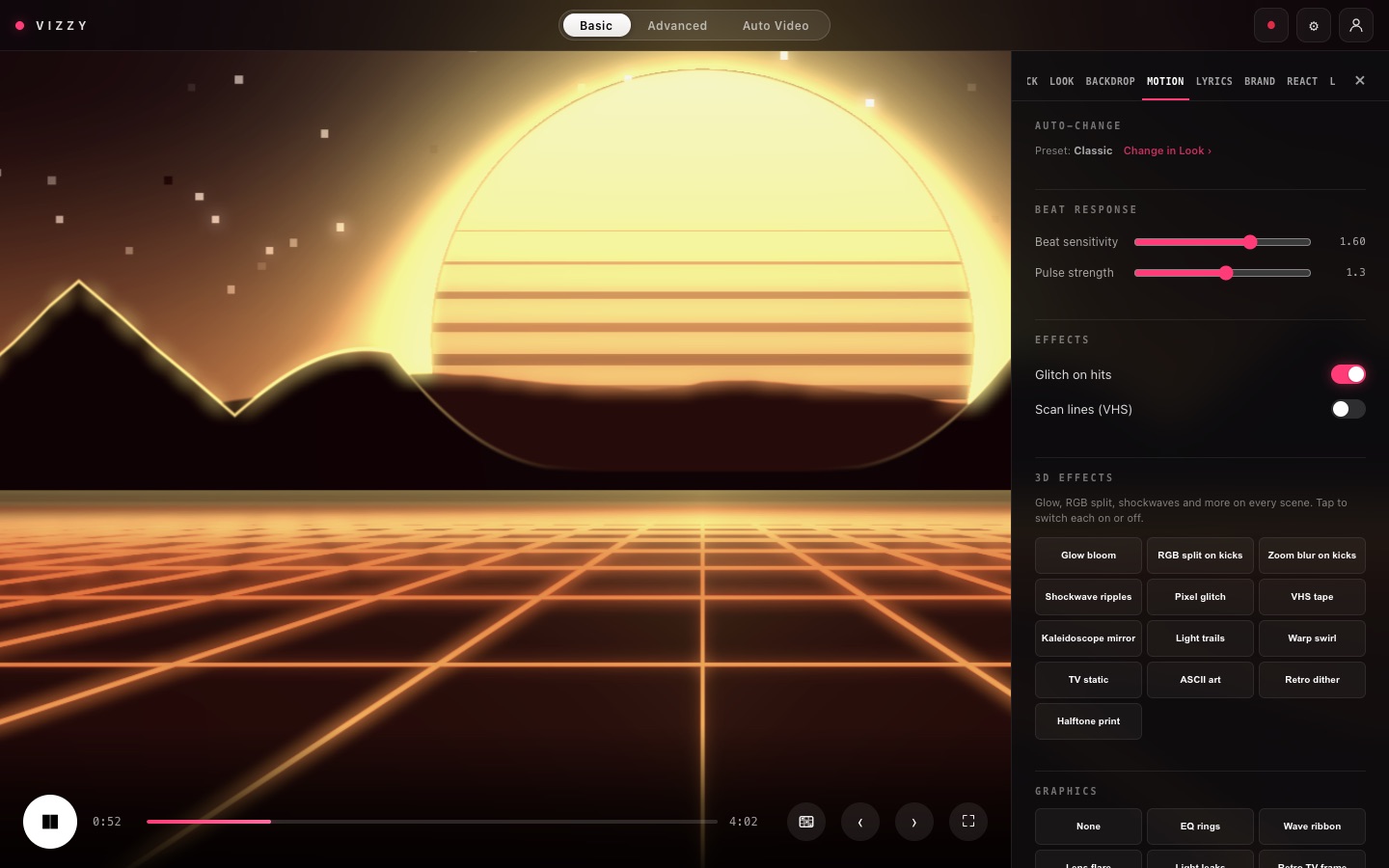
| Motion | 3D effects, graphics overlays, camera impacts and beat response |
| Lyrics | Free transcription and 25 animated text styles |
| Brand | Your logo or name, and Show presets |
| React | Reactions and the Beat Grid |
| Live | Audio sources, timecode, track presets, cues, MIDI, OSC, DMX and video out |
Lyrics
VIZZY transcribes the words for free when you load a song and shows them in time, word by word. If they don't appear, tap Transcribe lyrics in the Lyrics tab. Text style has 25 animated styles, including Word Pop (TikTok-style), Sing Along, Neon Sign, Glitch, Karaoke, Stretch, Slam, Decode and Molten. Choose Random for a different style on every line. Lyrics are included when you record.
Your brand & shows
Put your logo or DJ name on screen, animated to the music, or make it the centrepiece of a full 3D festival stage.
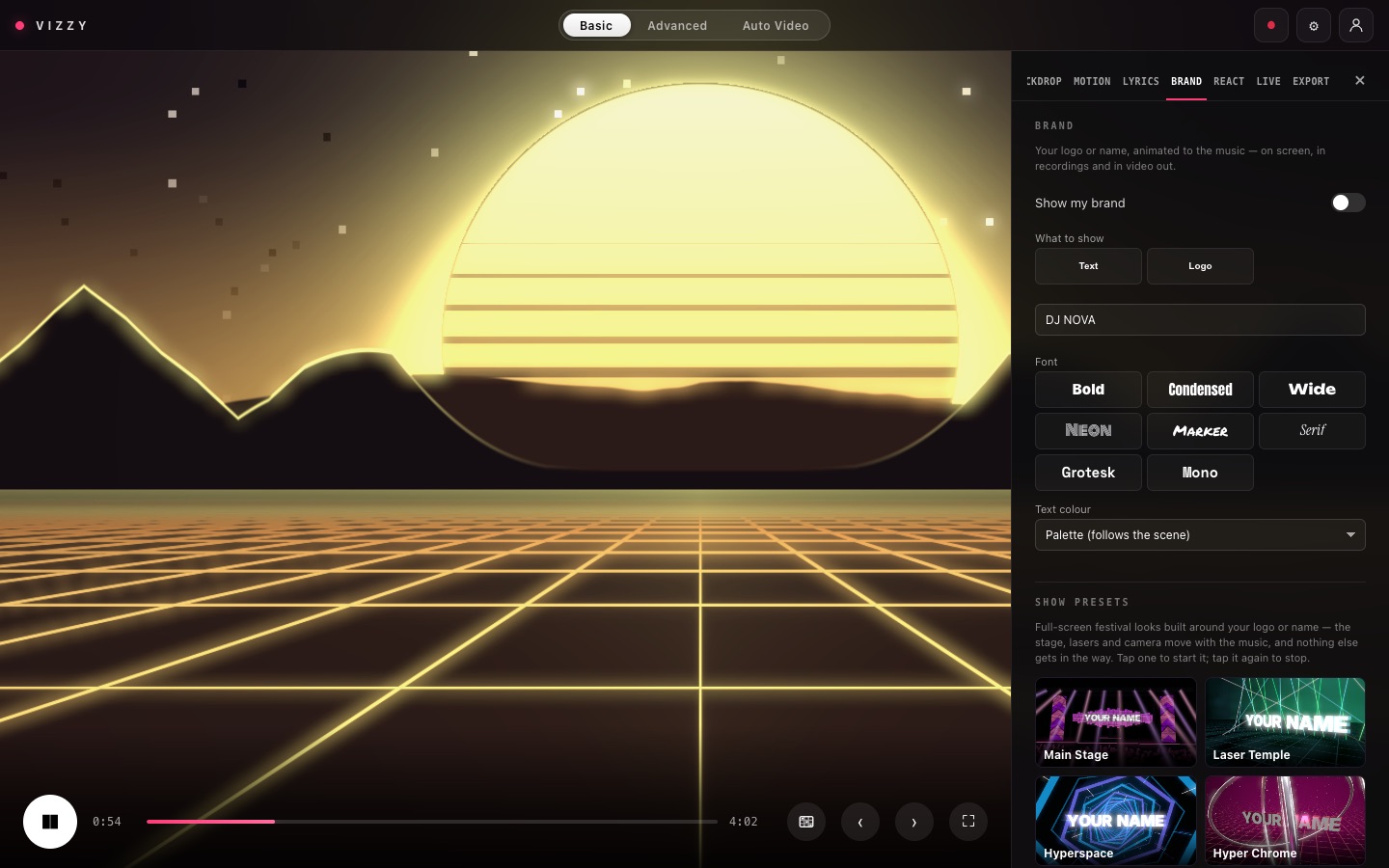
- Open the Brand tab and turn on Show my brand (or press B).
- What to show: type Text and pick a font, or add a Logo (.png, .svg or .webp, up to 15 MB). A transparent background looks best.
- Animation style: Beat Pulse, Neon Sign, Chrome Shine, Glitch, Hologram, 3D Flip, Drop Slam, Logo Sting, Shatter and more.
- When it shows: always, only for the intro, on every drop, every few bars, or only when you trigger it.
- Placement: centre, top, bottom or a corner, with size and opacity.
Smart dodge moves a centred brand into a corner while lyrics are on screen.
Show presets
A Show turns your logo into a full-screen 3D stage that moves with the music. Tap one to start, and tap it again to stop.
| Show | What you see |
|---|---|
| Main Stage | LED wall, towers, moving beams, pyro on drops and a crowd |
| Laser Temple | Laser fans, tunnels and strobes over a wet, hazy floor |
| Hyperspace | Fly through LED rings toward your logo at warp speed |
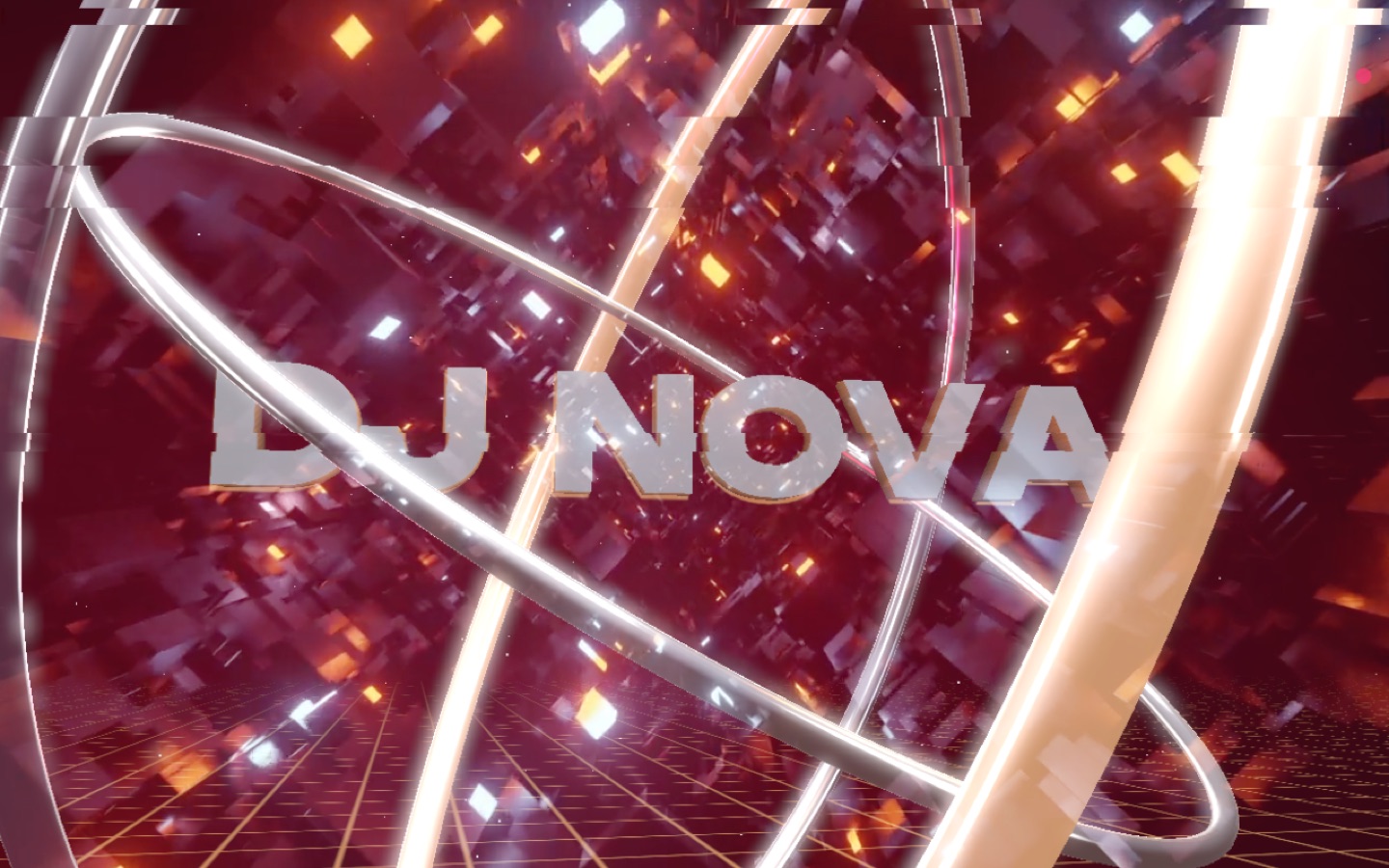
| Hyper Chrome | Your logo as polished chrome in spinning rings; the camera swings 360° on drops |
| Neon Metropolis | A hologram of your logo over a neon city, filmed by a circling drone |
| Cosmic Rift | Your logo over a giant planet; an energy beam fires on drops |
Live performance
The Live tab connects VIZZY to your DJ setup, DAW, controllers, lights and video software.
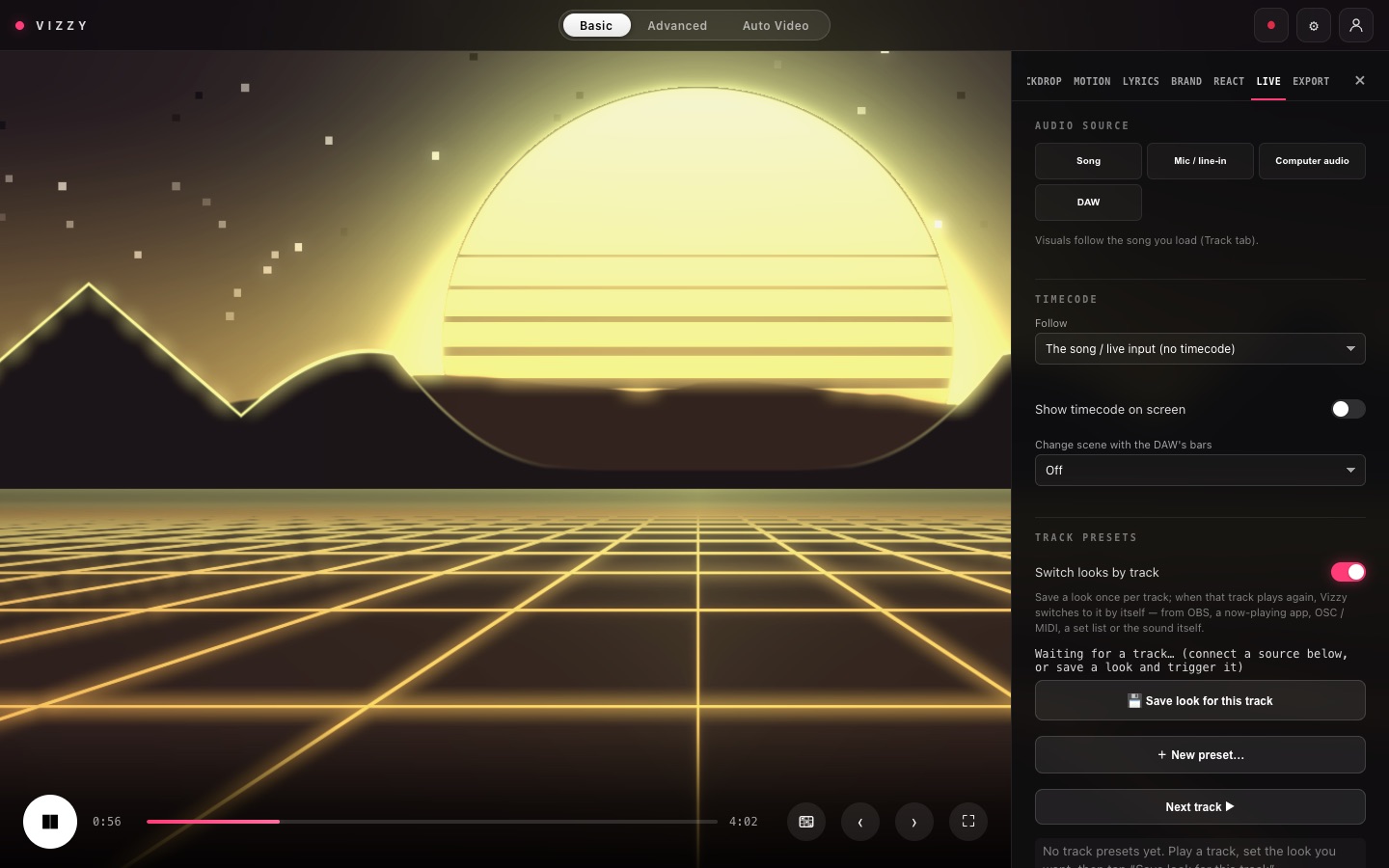
| Audio source | Use it for |
|---|---|
| Song | A track you load into VIZZY |
| Mic / line-in | A microphone, or your DJ mixer's booth or line output through an audio interface |
| Computer audio | Whatever the computer plays: Spotify, rekordbox, Serato, YouTube. It works directly in the desktop app; on a Mac, allow Screen Recording the first time. In Chrome, share a tab and tick Share system audio. |
| DAW | Your DAW's audio, through the VIZZY plugin |
DAW plugin
- Put Vizzy on your master track as an effect. Your sound passes through untouched.
- The visuals follow the DAW's tempo and play/stop. Change scene with the DAW's bars switches exactly on the bar.
- Vizzy Link sends the plugin's audio to the desktop app or to another computer, such as the projector PC.
Timecode and show cues
Follow the DAW timeline, MIDI Timecode or audio timecode (LTC). Add cue now saves the current look at the current time, so the show plays out the same every night.
MIDI, controllers and OSC
- MIDI: notes 36–43 do next scene, previous scene, drop hit, next palette, lyrics, random scene, next cue and blackout. Tap Learn to remap any of them.
- Game controllers: A = next scene, B = drop hit, X = next palette, Y = blackout.
- OSC (desktop app): receive from TouchOSC, QLab or TouchDesigner, and send VIZZY's beat, drops and levels to Resolume.
Lights and video out Desktop app
- DMX lighting: VIZZY drives your lights over Art-Net or sACN in your palette's colours.
- Syphon (Mac) / Spout (Windows): turn on Share the picture, then add a Syphon or Spout source named Vizzy in OBS, Resolume, TouchDesigner, MadMapper or VDMX.
Track presets
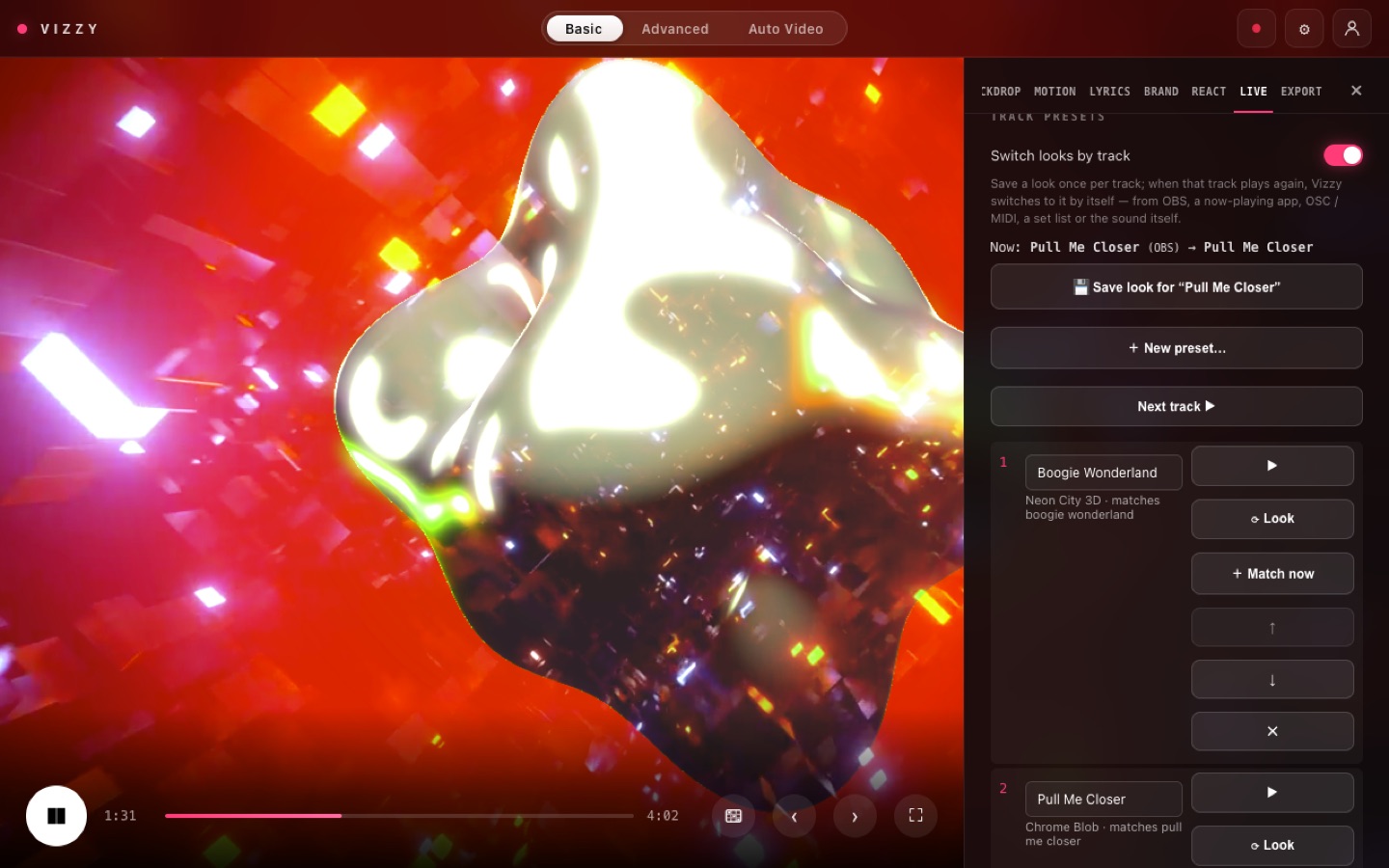
Save a look once per track. When that track plays again, VIZZY switches to it by itself. It's made for OBS streams and DJ sets.
Save your looks
- Play a track and set it up how you want it: scene, palette, effects, lyric style, brand or Show.
- In Live → Track presets, tap Save look for this track.
- Repeat for each track. ⟳ Look updates a preset to what's on screen now. Match now links a preset to the track that's playing.
- Use ↑ ↓ to set the order, which is used by Next track, the set list and MIDI.
How VIZZY knows which track is playing
| Method | Best for | Matches by |
|---|---|---|
| OBS | Streamers playing tracks as Media Sources | File name |
| Now playing | Spotify, Apple Music, VLC, DJ apps (via Tuna) | "Artist - Title" |
| OSC / MIDI | Lighting desks, QLab, controllers | Preset name, or program N → preset N+1 |
| Set list | Shows with gaps between songs | The next preset after each silence |
| By sound Beta | Anything, offline, with no setup | The sound itself |
Step by step: OBS streamers
- Run VIZZY in the desktop app. In Live, turn on Share the picture, and in OBS add a Syphon (Mac) or Spout (Windows) source named Vizzy.
- In OBS, open Tools → WebSocket Server Settings, tick Enable WebSocket server, then tap Show Connect Info and copy the password.
- In VIZZY's Track presets, under OBS, keep 127.0.0.1 and port 4455, paste the password, and turn on Follow tracks played in OBS.
- Play each track once in OBS, set its look, and tap Save look for this track.
- From now on, whenever a Media Source starts playing, VIZZY switches to that track's look.
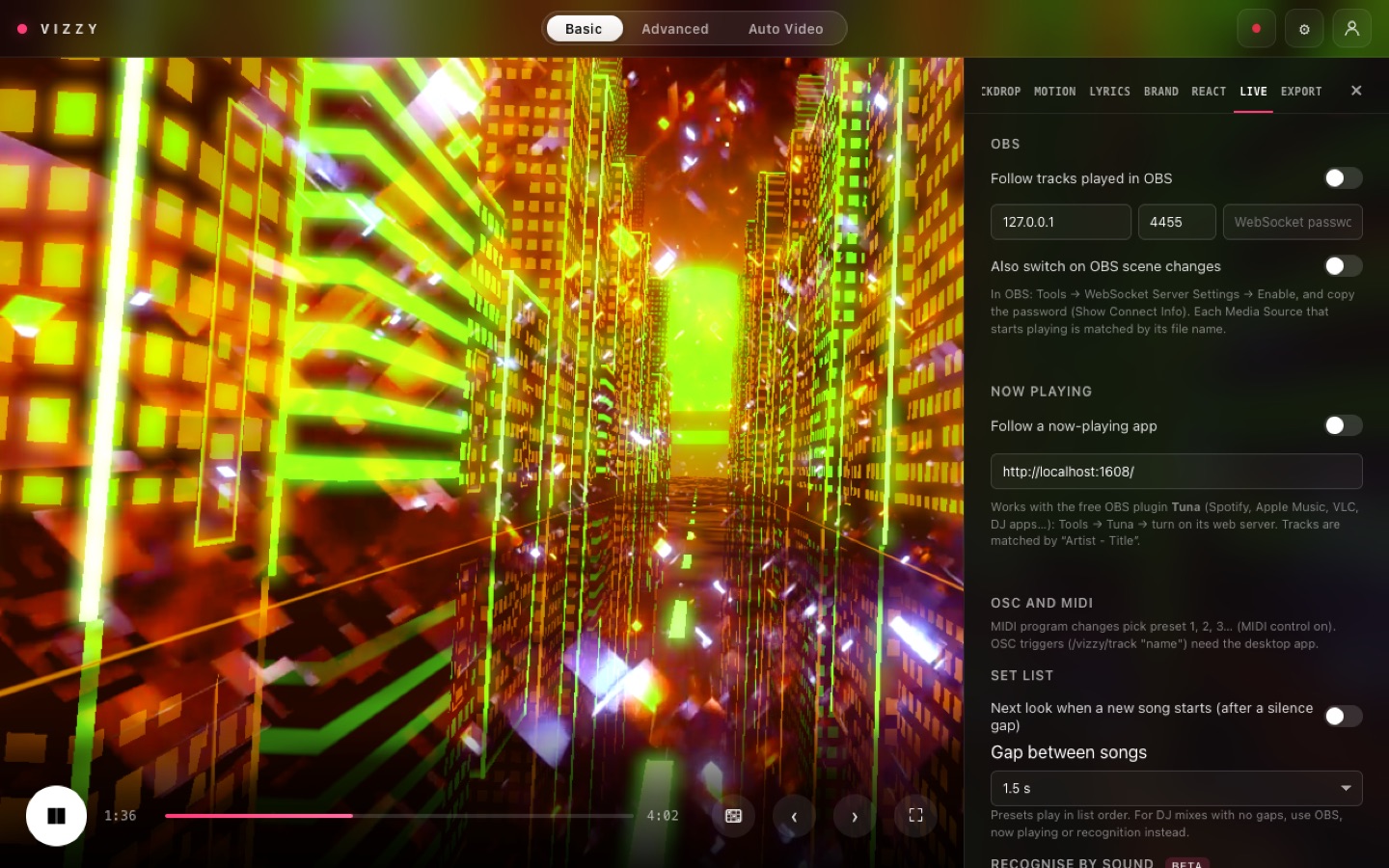
Also switch on OBS scene changes switches VIZZY when you change OBS scenes. Name each preset after its OBS scene.
Step by step: Spotify or a DJ app
- Install the free OBS plugin Tuna.
- In OBS, open Tools → Tuna and turn on its web server.
- In VIZZY, turn on Follow a now-playing app.
Recognise by sound
Turn on Recognise tracks by their sound. While a track plays with its look, VIZZY learns how it sounds, up to 2 minutes of it. Next time it plays, even from a different point, VIZZY recognises it in about 5 seconds. It works offline, with any audio source.
Save presets and Load presets move your presets to another computer. OBS passwords are never included.
Reactions & Beat Grid
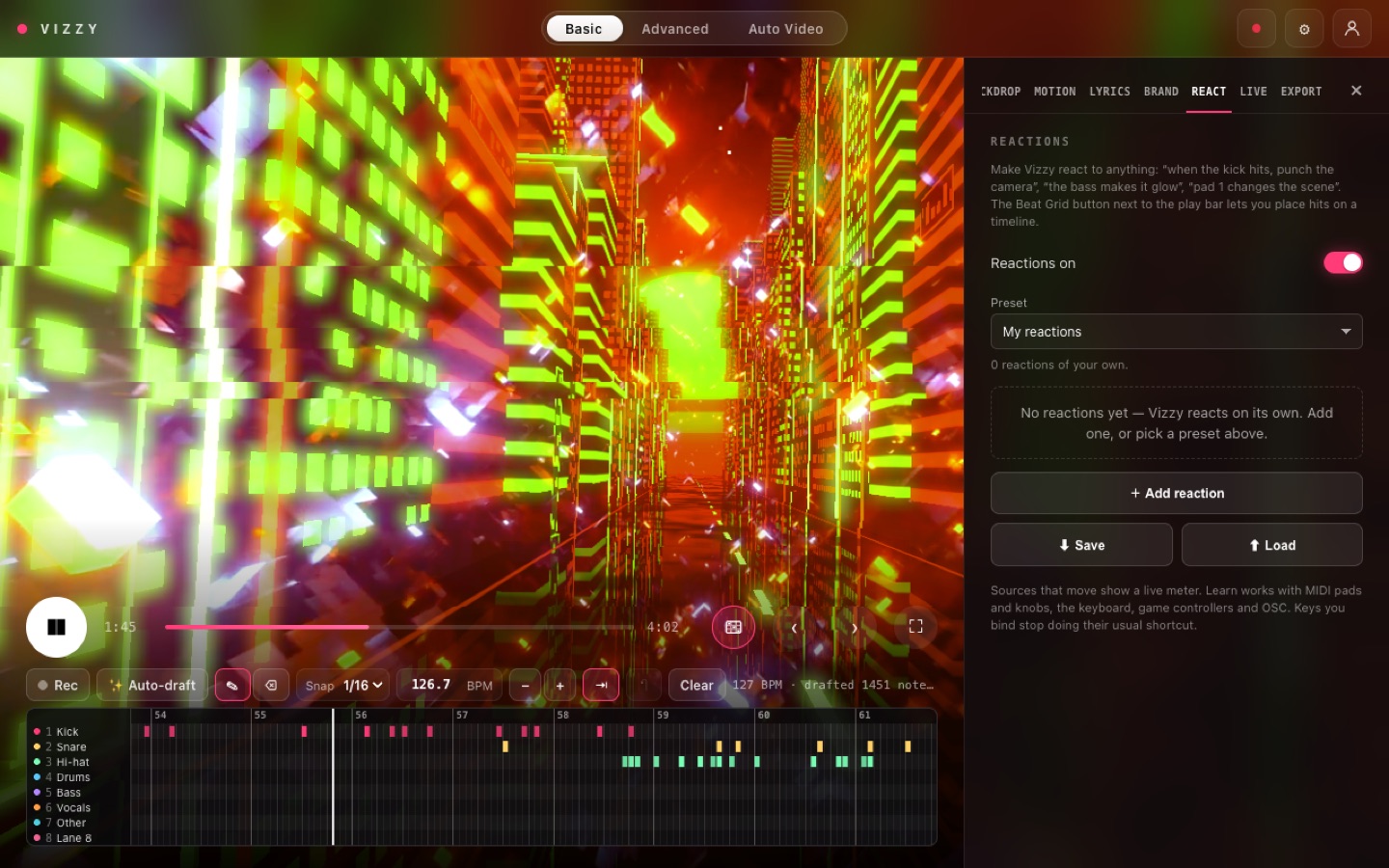
A reaction is a simple rule: when something happens, do something to the picture. For example, the kick punches the camera, or pad 1 changes the scene.
| Preset | What it does |
|---|---|
| Kick → camera punch | Every kick punches the camera in |
| Bass → glow | The bass makes the picture glow |
| Vocals → lyrics pulse | The lyrics pulse with the singer |
| Club pack | Kick punches, snare flashes, bass glow and hi-hat colour splits |
| DJ pack | MIDI pads 36–43 change scenes and colours, fire drop hits and black out |
| Stems pack | Drums, bass, vocals and the rest each drive their own effect |
Make your own
- Tap Add reaction.
- When: a sound (kick, bass, a stem, a band), a MIDI pad, a key, a controller button or an OSC message.
- Do: camera punch, shake, zoom pulse, flash, glow, RGB split, glitch, change scene, blackout and more.
- Hit fires on every hit. Follow tracks the level smoothly. Learn binds a pad or knob.
Stems and frequency bands
Split into stems (Track tab) separates drums, bass, vocals and other in about a minute, so each part can drive its own effect. Frequency bands pick out one slice of the sound, such as the kick at 40–120 Hz. Bands work with live inputs too.
Beat Grid
The Beat Grid button opens a mini piano roll. Auto-draft places the song's hits for you. You can also record notes with keys 1–8 or MIDI pads. Each lane can trigger a reaction at exactly that moment, every time.
Auto Video
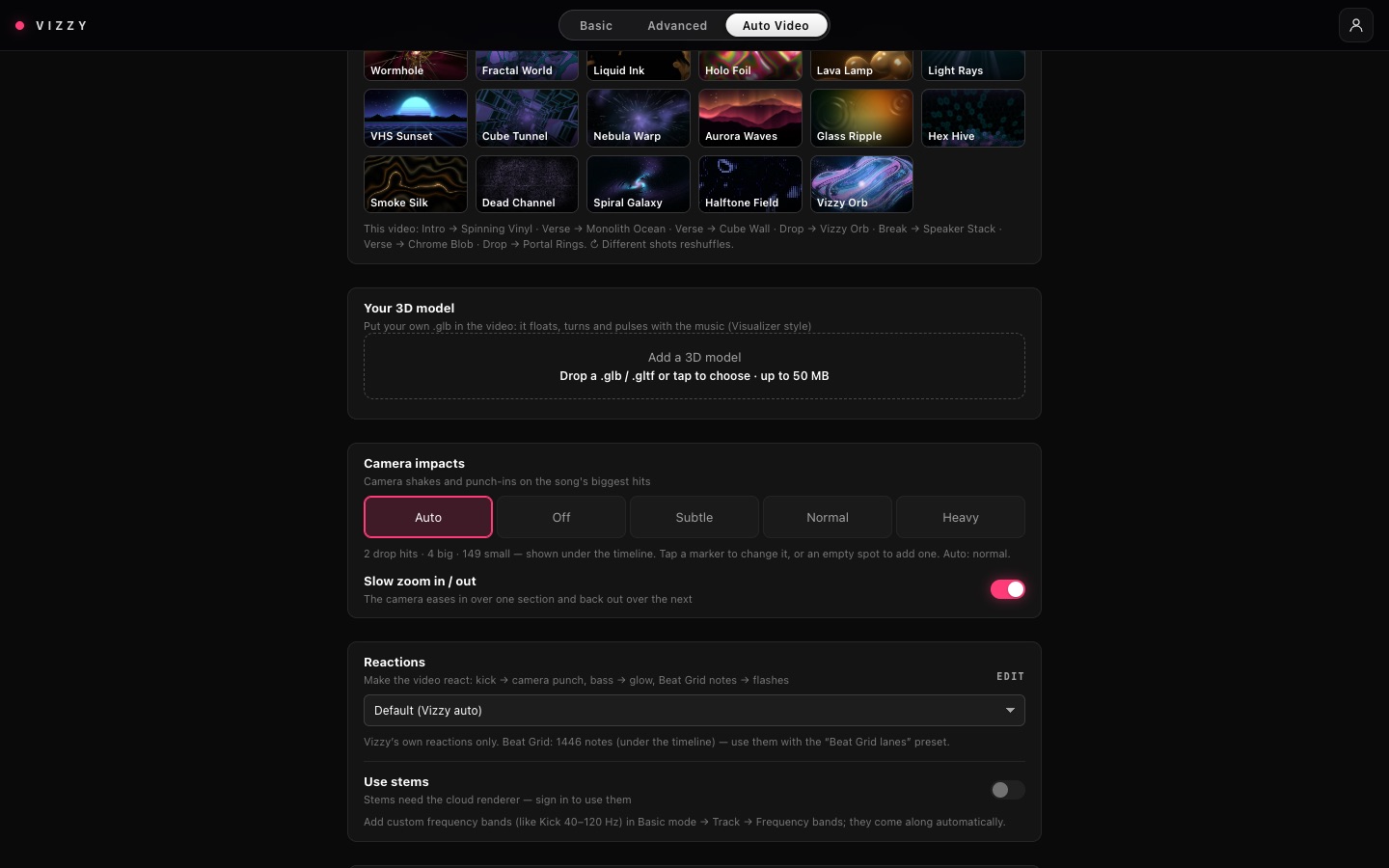
Upload a song, pick a style, and VIZZY plans, cuts and renders full music videos in the cloud. You can close the page while it works.
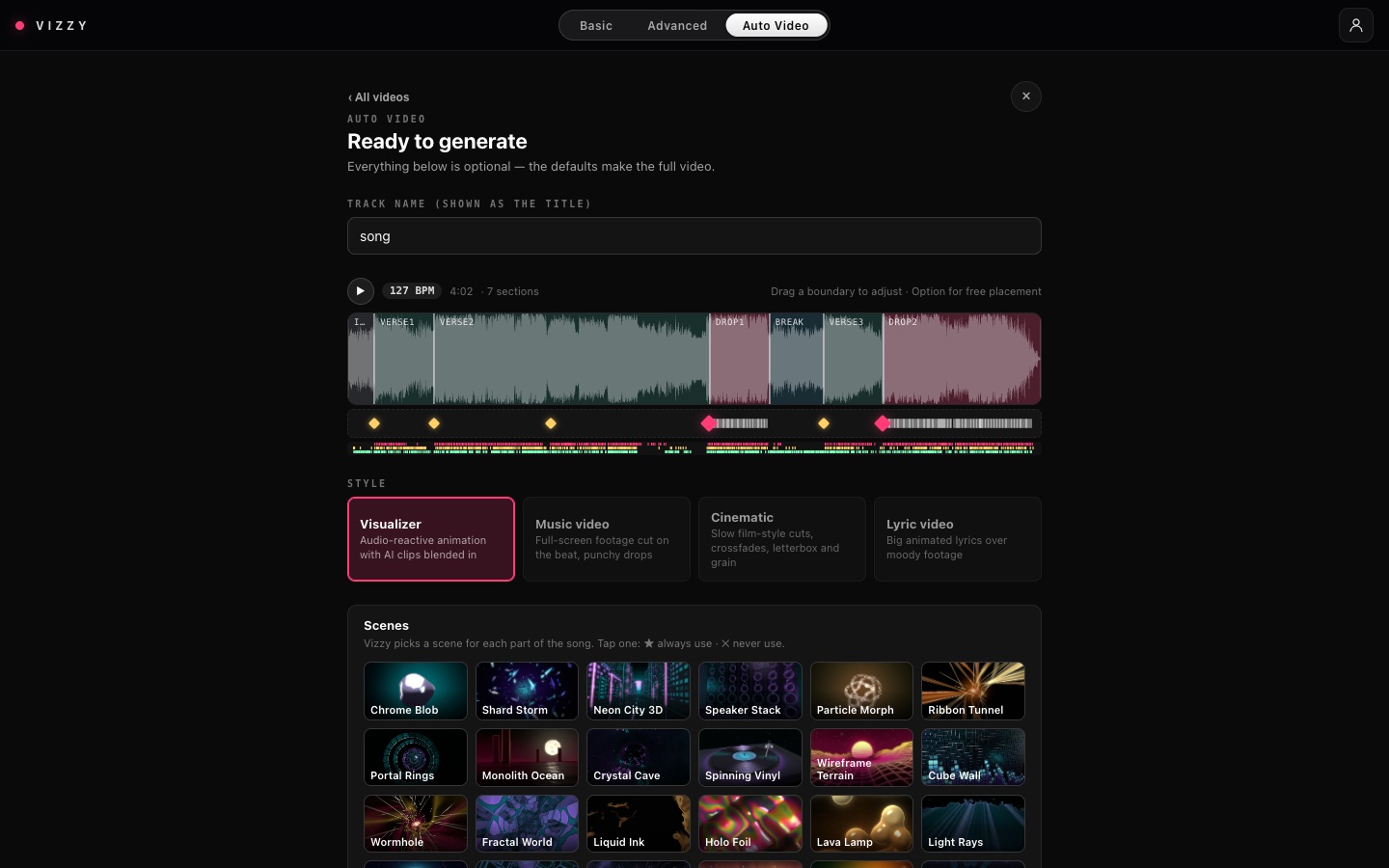
- Add the song. VIZZY finds the tempo, beats, verses, choruses and drops.
- Pick a style: Visualizer (3D scenes), Music video (footage cut on the beat), Cinematic (slow, film-style) or Lyric video.
- Choose the clips. Vizzy footage is free. With an AI generator connected, VIZZY makes custom shots. You can also mix in your own clips.
- Give direction (optional): describe the video, or paste a reference link from YouTube, TikTok or Instagram. VIZZY copies its pacing, colours and on-screen lyrics.
- Choose formats: 16:9 YouTube, 9:16 Reel, 9:16 Story (the best 60 seconds), and 4K.
- Check, approve the preview stills, and download each format as an MP4.
Render in Blender
On a finished video's page, Render in Blender renders the song again as a real 3D scene (Chrome Stage, Neon Tunnel or Particle Field), following the same beats and drops, up to 4K. A 3-minute song in HD takes about 8–10 minutes.
Advanced & Blender
Advanced mode is a full timeline editor. Import your video, audio and images, cut, add text, adjust colour and export.
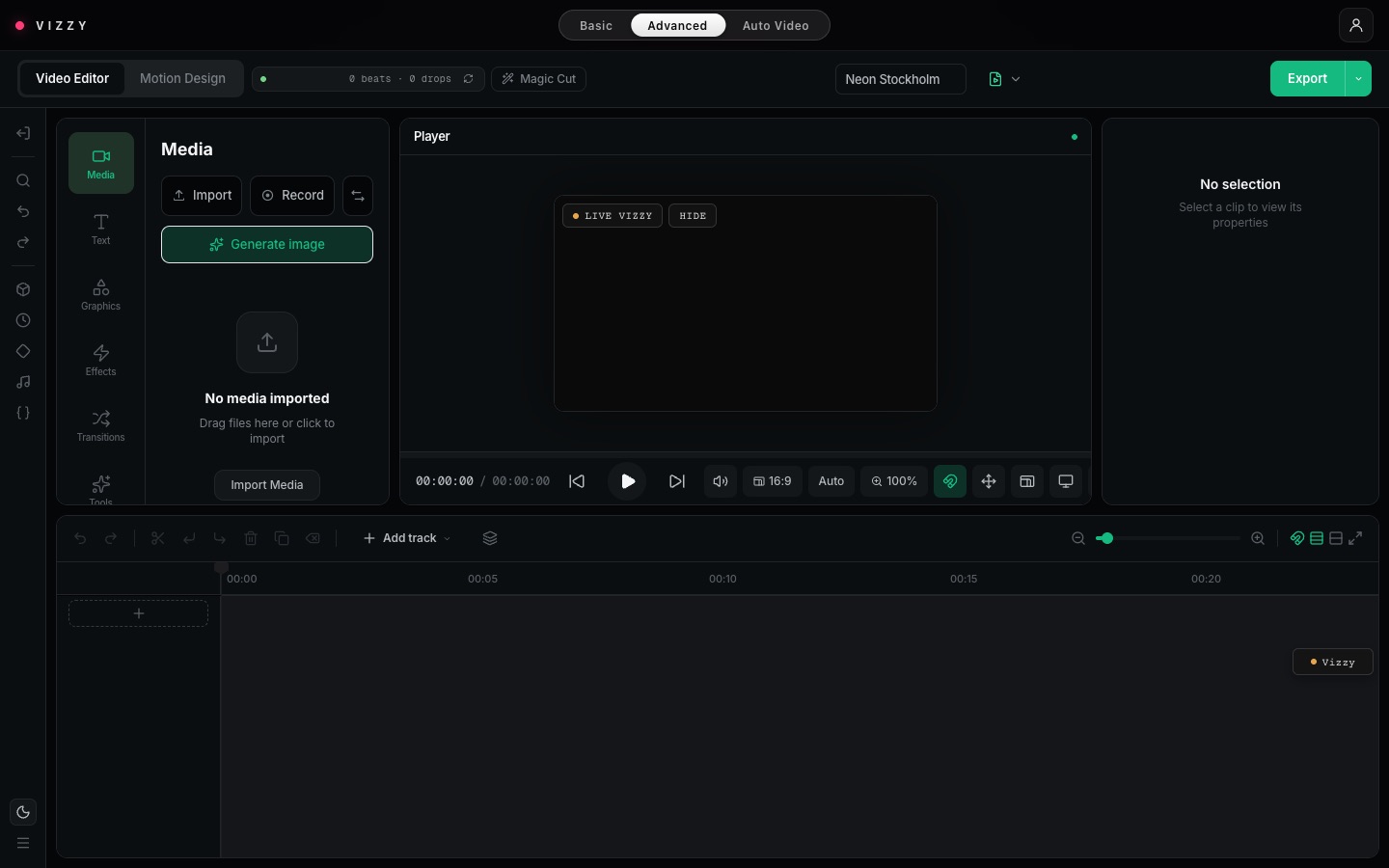
On a finished Auto Video, Edit in Advanced mode opens it as an editable project, with every clip on its own track.
VIZZY for Blender
- Install once: Settings → Downloads → Vizzy for Blender. In Blender 4.2+, open Edit → Preferences → Get Extensions → ⌄ → Install from Disk… and pick the zip.
- Export: Track → Export for Blender (Basic mode), or the Blender card in Auto Video.
- Import: in Blender, press N, open the Vizzy tab, and choose Import vizzy-scene.json…
- Click a starter scene, or select your own objects and use Quick Reactions: Pulse on kick, Scale with bass, Light flash on snare, Camera shake.
Install & help
Get the apps and plugins from Settings → Downloads once you're signed in. They update themselves.
| Device | How |
|---|---|
| Windows | Run the Setup .exe. If Windows warns you, click More info → Run anyway. |
| Mac | Open the Installer .pkg and tick the app and plugins you want. If macOS blocks it, right-click → Open. |
| DAW plugin | Choose it in the installer, or unzip one format into your plugin folder, then rescan. |
| Android | Open the .apk and allow the install. |
| iPhone / iPad | In Safari, tap Share → Add to Home Screen. |
| Browser | In Chrome or Edge, Install app adds VIZZY like a normal app. |
Troubleshooting
| Problem | Fix |
|---|---|
| Google says "not invited" | Pick the Google account with the email you were approved with, or use email and password. |
| Invite link expired | Links last 24 hours. Ask for a new one. |
| Visuals ignore my mixer | Live → Mic / line-in, then pick your interface. In Chrome, allow the microphone. |
| Mac computer audio is silent | Allow VIZZY in System Settings → Privacy & Security → Screen Recording, then restart VIZZY. |
| VIZZY isn't in OBS | Use the desktop app, turn on Share the picture, and add the Syphon/Spout source named Vizzy. |
| Track presets can't reach OBS | Enable the WebSocket server in OBS and check the password. The port is 4455. |
| Plugin missing in the DAW | Rescan plugins. On a Mac, reinstall with the .pkg and tick your DAW's format. |
| Reference link won't download | Some sites block cloud downloads. Upload the video file instead. |
| Anything else | Send us the rev and build from Settings → About with your report. |
Ready to see every drop?
Request access and we'll email your invite as soon as you're approved.
Request access Sign in